
GhanaPlaybook · Mobile comparison · 18+
Best Betting Apps in Ghana
Compare 1Win, 1XBet and MelBet by device compatibility, navigation, browser access and the account tasks that matter on your phone.
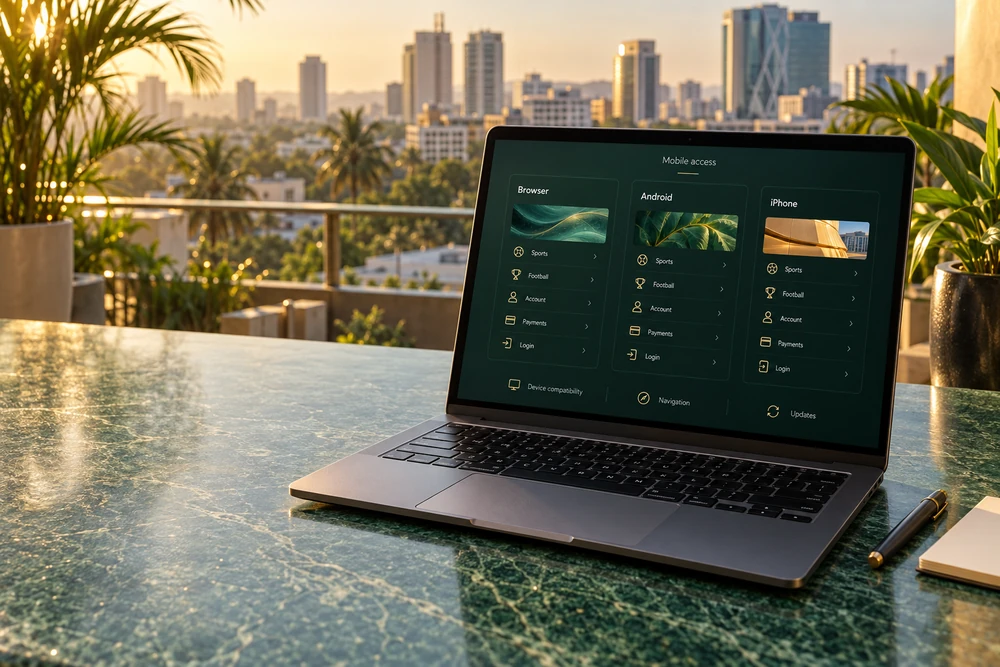
Affiliate disclosure: GhanaPlaybook may earn a commission through partner links. This comparison covers our three partners. The hero shows an illustrative interface, not screenshots of their apps. We do not host installation packages.
The best app is the one that fits your routine
A useful betting app should make ordinary tasks clear on your device: finding an event, reading the bet slip, checking account history and understanding a payment status. A long feature list does not establish that those tasks work well on a budget Android phone or your particular iPhone.
Start with device and regional availability, then assess the interface. Compare the same tasks across 1Win, 1XBet and MelBet rather than choosing from an app logo, bonus headline or an unsupported speed claim. You can keep using the browser if it meets your needs.
This page is a mobile-access comparison, not three repeated installation tutorials. It does not claim a hands-on benchmark, battery test or measured data-use ranking. Use the brand-specific guides for installation steps and the actual operator download information for current compatibility.
Compatibility
Check the operating-system requirement, available storage and regional download route. A device opening the app is only the beginning. You also need a readable layout and stable access to the account tasks you use.
Navigation
Find a competition, open a market and return to the account menu. Check whether the selected event and stake remain clear in the bet slip. Prefer a route you can understand without guessing at icons or repeatedly zooming.
Account continuity
Keep access to your existing account, recovery details and history. Installing another access route should not be treated as starting another customer profile. Confirm the login method before changing devices or reinstalling.
1Win, 1XBet and MelBet mobile access
All three operators publish mobile product information. Use it as a starting point for checking the route shown to you. Availability in another country does not confirm a Ghana App Store listing, current package requirements or identical account features.
| Compare | 1Win | 1XBet | MelBet |
|---|---|---|---|
| Installation guide | 1Win Ghana app | 1XBet Ghana app | MelBet Ghana app |
| Published mobile information | Operator describes Android and iOS mobile apps. | Operator describes Android and iOS routes, bet history and menu customisation. | Operator publishes Android APK, iOS and mobile browser guidance. |
| Your first usability check | Find the intended sports or game section and account menu. | Check whether menu choices and bet history suit your routine. | Compare the available app route with browser navigation. |
| Device requirement | Read the current download information. | Read the current download information. | Read the current download information. |
| Payment requirement | Inspect the cashier for your account. | Inspect the cashier for your account. | Inspect the cashier for your account. |
| Full review | 1Win Ghana review | 1XBet Ghana review | MelBet Ghana review |
The table separates published product information from the checks you need to make on your own device. It does not assign a universal winner. For the broader choice of bookmaker, see our best betting sites in Ghana guide.
Partner mobile options
Open the relevant partner route and review its current mobile section. App availability and promo eligibility are separate checks; installing an app alone does not establish a bonus entitlement.
1Win Ghana
Compare the available browser and app routes on your device. Find the product section you intend to use. Check login recovery and payment history before funding the account. Our app guide covers the installation questions separately.
Promo code: Ghanawins
1XBet Ghana
Review event navigation, the bet slip and account history. Check any menu settings offered by the current version. Confirm the appropriate download route for your operating system. Use the app guide before making installation changes.
Promo code: 1x_5756968
MelBet Ghana
Assess the app route available for your phone and compare it with browser access. Read compatibility information before downloading. Keep your existing account and recovery channel accessible. Our app guide explains Android and iPhone checks.
Promo code: ml_3500548
Choose according to your phone
Budget Android: start with essential tasks
Check your Android version and free storage, then compare them with the current package requirements. Allow room for installation and app data as well as the downloaded file. Avoid deciding from a version number or file size quoted in an old article.
Assess event text, account navigation and the bet slip before adding video or many extra screens. Close unnecessary background apps if the device is under pressure. If browser access is easier to use, you can keep that route instead of installing several bookmaker apps.
Android downloads: source and permissions
Use the operator's current download route. Review the package source and installation prompt instead of opening an APK forwarded through a chat. Keep Play Protect enabled and do not force a package flagged as harmful.
If your device asks for permission for a browser or file manager to install apps, understand which source receives that permission. Remove it afterwards when the phone provides the option. Detailed installation steps belong in the individual app guides linked above.
iPhone: check the current store region
Follow the operator's iOS route and confirm whether its linked listing is available in your current App Store region. Check app identity and compatibility. This comparison does not confirm Ghana-specific native listings for all three operators.
Use mobile browser access when an appropriate app is unavailable. A Home Screen shortcut can provide a convenient entry point, but it remains website access. It is different from installing a native app through the store.
App or mobile browser: compare the work involved
A browser avoids a separate app package; an installed app adds a download and its own update route. Which is more convenient depends on the device, region and features presented to your account. Neither is automatically faster or lighter in every situation.
| Task | Installed app | Mobile browser |
|---|---|---|
| Initial setup | Check package or store availability and compatibility. | Open the correct website in an updated browser. |
| Maintenance | Follow the app or store update route. | Keep the browser current and review site settings. |
| Storage | Allow for the package and app data. | Consider browser cache and saved website data. |
| Quick access | Use the installed icon. | Use a bookmark or Home Screen shortcut. |
| Account tasks | Check the history and controls shown in the app. | Check the history and controls shown on the website. |
Try one routine in each available route: open a competition, inspect an event, review the account menu and return to the start. Keep the route that makes those steps clear. Do not make a payment or place a bet solely to test navigation.
On a shared phone, check saved-login behaviour and log out after use. Avoid leaving account access in a browser profile used by other people. A convenient shortcut should not replace a secure recovery channel.
Football navigation and the bet slip
For Ghana Premier League, EPL or Black Stars fixtures, find the exact event and read the market name in full. Check the displayed time zone. A mobile layout that truncates important text deserves closer inspection before you confirm a selection.
Read event, market, selection, odds and stake together. Check whether the slip contains a single bet or an accumulator, and whether an odds change requires acceptance. Our betting odds and football markets guide explains the distinctions behind those labels.
For illustration, a GH₵20 single at 2.00 would return GH₵40 if successful before any applicable deductions. That arithmetic does not change because you use an app instead of a browser. The example is not a current partner price or a prediction.
Live screens and streams can lag behind events. A convenient interface does not establish an immediate score feed or guaranteed cash-out access. Read our live betting and cash-out guide before building a plan around either.
Login, payments and updates are separate checks
Use the credentials and login method of your existing account. If you cannot sign in after installing or updating, recover access to that account instead of registering again. Keep your account identifier and registered email or phone available privately.
Inspect the cashier for your account. Installing an app does not confirm support for MTN MoMo, Telecel Cash or AT Money, and a deposit option does not by itself establish the withdrawal route. Our Ghana payment methods guide explains the wider comparison.
For a payment, retain the amount, currency and transaction reference. If a screen appears slow, check the result before tapping again or transferring more money. A pending payment is not a reason to reinstall an app or open another account.
Before updating, confirm that you can recover login if the session ends. Read the update instructions and allow downloads to finish. Afterwards, check navigation and account access before completing a payment or submitting a bet.
Which problem are you actually solving?
| Problem | Useful next step |
|---|---|
| Download will not finish | Check connection, storage and the operator source. |
| Package will not install | Read the error and compare current compatibility; do not bypass a harmful-app warning. |
| App freezes | Check the current version, restart and compare with browser access. |
| Login fails | Check the identifier and method, then use recovery or account support. |
| Cashier request is pending | Check transaction history and contact payment support with the reference. |
| Notifications are distracting | Review app or browser notification settings and session limits. |
When asking support for help, name the device, operating-system version and app version if available. Quote the error message and say whether browser access works. Keep login problems separate from payment disputes so the operator can identify the relevant account task.
For a missing deposit or delayed payout, use our withdrawal and payment problems guide. Never send passwords, wallet PINs or one-time authentication codes to someone offering to fix an app.
Keep convenience within your limits
Choose notification settings and a session end time before routine use. Keep essential expenses outside betting funds. If quick access makes it harder to stop, use the account restrictions and blocking steps in our responsible gambling guide.
Deleting an app does not close the bookmaker account or cancel payment requests. Handle account restrictions through the operator as well. Betting is for adults aged 18+; do not borrow to bet or add money to recover losses.
Method and sources: operator mobile information from 1Win, 1XBet and MelBet; Google Android Help; partner-supplied codes. Device checks and examples are editorial guidance, not measured app-performance results. Download requirements should be reviewed for your device and region.
Betting apps in Ghana: frequently asked questions
Which betting app is best for a budget Android phone?
Compare current compatibility, readable navigation, account access and the bet slip on your own device. This page does not claim measured performance scores for 1Win, 1XBet or MelBet.
Do I need an app to access a bookmaker on my phone?
Not necessarily. Assess mobile browser access when the operator's website is available to you. Consider an app only if its appropriate download route and interface improve your routine.
Are all three apps confirmed in Ghana's App Store?
This comparison does not confirm Ghana-specific native App Store listings for all three operators. Check the operator's current iOS route and availability in your own store region.
Does a Home Screen shortcut install a native betting app?
No. A shortcut or web app opens website access from a saved icon. It is different from a native application installed through an app store or an Android package.
Does installing an app confirm Mobile Money support?
No. Check the cashier for your account and review deposit and withdrawal methods separately. App installation alone does not establish support for a particular wallet.
Should I create another account after changing access routes?
Use your existing account where applicable. Switching between an app and browser, updating or reinstalling is not a reason to open a duplicate profile. Use recovery if login fails.
Which app uses the least data?
No measured data-use ranking is claimed here. Downloads, updates, video and normal browsing can affect usage. Compare the tasks you need and review your device's usage information.
Where are the individual installation guides?
The comparison table links to the 1Win Ghana App, 1XBet Ghana App and MelBet Ghana App guides. Use those for brand-specific installation questions and check the current operator download requirements.