
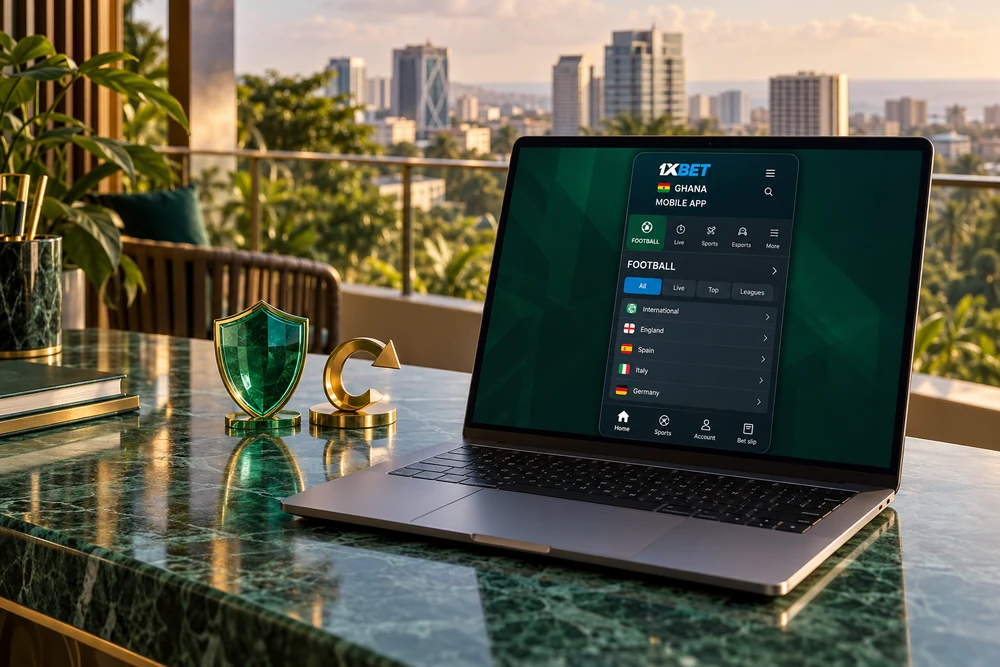
Ghana • Android and iPhone • 18+
1XBet Ghana App & Mobile Guide
Find the operator's current download options, check your device and choose between an installed app and mobile browser access.
Affiliate link: GhanaPlaybook may earn a commission if you register through this link. The button opens the operator, not a direct APK download.
Choose how to access 1XBet on your phone
The 1XBet Ghana app is one route to mobile access; using the website in your phone's browser is another. Begin with the operator's mobile section and inspect the options shown for your device and location. Availability can differ, so a download route described for another country should not be treated as a Ghana-specific instruction.
An installed app may suit someone who wants a dedicated icon and a separate account interface. A browser can suit someone who prefers to avoid installing a package or wants a fallback while resolving an app problem. Neither route changes the financial risk of betting.
| Consideration | Installed app | Mobile browser |
|---|---|---|
| Getting started | Requires an available installation route and a compatible device. | Open the operator's website in a supported browser. |
| Storage | Needs space for the application, installation and later updates. | Avoids a separate app package, but still uses browser storage and cache. |
| Maintenance | Keep the installed version updated through the designated channel. | Keep the browser and operating system updated. |
| Account access | Use the existing account details for the relevant operator service. | Use the same account rather than registering again. |
| Data use | Downloads and updates add to browsing or media traffic. | Pages, live information and media also consume data. |
| Best starting point | Consider it after checking compatibility and installation requirements. | Useful for checking the service before deciding whether to install. |
For the wider account, product and payment context, read our 1XBet Ghana review. This page concentrates on mobile setup, login, maintenance and common technical problems.
Check the download before installation
Start at the operator
Open the operator and locate its mobile or app section. Follow the route it currently provides for your operating system.
Avoid APK files sent through messaging groups, copied download buttons and modified packages promising extra features. A familiar logo alone does not identify a file's source.
Check your device
Read the current compatibility information and compare it with your phone's operating system. Leave sufficient free storage for the download and installation.
This guide does not claim a fixed APK size, minimum Android version or measured speed on budget phones. Those details can change with each release.
Review permissions
Read installation prompts and any permission request. Keep device security checks enabled and stop if a warning identifies the package as harmful.
If the source or requirement is unclear, use browser access while you ask the operator or device support for clarification.
Android: downloading and installing an APK
An APK is an Android installation package. If the operator offers this route, follow its current mobile instructions. Android settings vary by manufacturer and software version; the labels on your phone may differ from those in a screenshot.
- Find the Android option. Open the operator's mobile section and select the Android download route shown there.
- Review the download. Check the source and any displayed compatibility information before saving the package. Wait for the download to finish.
- Open the completed file. Use the browser's download list or your phone's file manager. Do not attempt to install a partial download.
- Review the installation prompt. If Android requests permission to install from that browser or file manager, grant it only after checking the source. Do not disable Play Protect to force installation.
- Install and open the app. Follow the device's prompts. If installation is blocked with a security or compatibility message, resolve that message rather than repeatedly retrying.
- Restore the installation restriction. If you temporarily allowed your browser or file manager to install unknown apps, turn that permission off after installation.
- Sign in carefully. Use your existing account, confirm the account details and inspect the interface before making any transaction.
A routine warning about downloading a package is different from a security service identifying it as harmful. Do not treat all warnings as instructions to press through. Keep the message and ask for clarification when necessary.
If your device cannot install the current release, there is no need to look for an old or modified package on an unrelated website. Check the official support route or use the mobile browser instead.
iPhone: use the available iOS route
On an iPhone, open the operator's mobile section and inspect its current iOS option. If it directs you to an App Store listing, review the developer, device compatibility and availability for your Apple account's region. This guide does not confirm a particular listing's availability in Ghana.
An Android APK cannot be installed as an iPhone app. Avoid instructions that ask you to download an APK for iOS, share your Apple account password or trust an unfamiliar device-management profile. Use the mobile website if the installation route is unavailable or unclear.
Keep a website shortcut for browser access
You can save the operator's mobile website for easier return visits. In Safari, open the page, use the sharing options and choose Add to Home Screen when available, then confirm the name. The menu position can differ by iOS version.
A website icon does not by itself establish that you installed a native iOS app. Its behaviour depends on the website and browser. It also does not make the service available offline; account actions and current market information still require a working connection.
Whether you use an app or a shortcut, keep the phone updated and use the operator's account recovery process if login details are missing. Do not register a second account simply because you changed devices.
Logging in and setting up your account
If you already have an account, choose login and enter the identifier required by the interface. Keep your account reference and recovery contact details accessible before updating or changing phones. Check the account identity after signing in so that you do not accidentally use another person's saved session.
If you are new, read the registration terms before opening an account. The promo code featured on GhanaPlaybook is 1x_5756968; enter it in the appropriate registration field if that field is available. Installing the app is separate from applying a code or qualifying for a bonus.
Accurate account details
Use your own information and a phone number or email address you control. Keep any verification messages and account reference securely.
For a Ghana account, review the country and displayed currency. Check GHS availability directly rather than assuming every installation starts with the same settings.
Protect login access
Use a strong, unique password and a screen lock. Enable additional account security where available, and keep recovery details current.
Do not send passwords, one-time codes or Mobile Money PINs to someone claiming to install the app or repair your account.
Check the first session
Locate account information, bet history, payment options and support before you need them. Review optional notifications and switch off those you do not want.
On a shared phone, avoid saving credentials and sign out when finished. An account left open is an access problem even if the app itself works normally.
Updating the app and changing phones
Use the update channel designated by the operator for the installed app. Read the update prompt and check the source before downloading a replacement package. If an update comes through an app store, use that store's normal update process.
Before updating, make sure you know how to sign back in. Keep enough storage free and use a stable connection. Avoid starting an update while you are trying to resolve a pending bet or payment, because a restart can make it harder to follow the status.
If an Android package reports a conflict or signature problem, do not assume uninstalling immediately is the right fix. Confirm that the package comes from the expected source and ask support about compatibility. Uninstalling can remove local settings and saved access details.
When moving to another phone, use the existing account and check that its recovery contact is still available. Review the old phone for saved passwords or active sessions before giving it to someone else. Updating or replacing a device does not require another welcome-bonus registration.
Mobile data, storage and everyday use
For readers using limited mobile data in Ghana, assess the cost of downloading and updating as well as normal browsing. An installed app should not be assumed to use less data than a browser in every situation. Live information, images and video can add traffic on either route.
- Use a trusted connection for large downloads where practical.
- Check the phone's data usage figures instead of relying on a general speed or data-saving claim.
- Avoid optional streams or rich media when conserving data.
- Close unnecessary tabs and applications if the phone is struggling.
- Keep enough free storage for updates and normal device operation.
- Review notifications so that they fit your preferences rather than interrupting you repeatedly.
If a screen stops responding, wait and check account history before repeating a bet or payment. A tap that appears unsuccessful may still have reached the service. Repeating it without checking can create an unwanted second action.
For payment use, inspect the methods shown in your account and their limits. Do not infer MTN MoMo, Telecel Cash or AT Money availability from the presence of an app. Save transaction references and distinguish a payment-provider issue from an app display issue.
Common app problems and next steps
| Problem | What to check | Next step |
|---|---|---|
| Download does not finish | Connection, available storage and download status. | Retry from the operator's current download route after resolving the cause. |
| APK will not install | Compatibility, completed file and the exact device warning. | Resolve the warning or use browser access; do not disable security checks. |
| App closes unexpectedly | Current release, storage and whether the problem follows one action. | Restart the app or phone, then report a repeatable issue to support. |
| Login fails | Account identifier, password and access to verification messages. | Use account recovery rather than creating another account. |
| Blank or outdated screen | Connection and whether refreshing changes the display. | Compare with browser access and check account history before repeating actions. |
| Payment status is unclear | Transaction reference, account history and provider confirmation. | Ask support to trace the transaction before sending another payment. |
| iOS option unavailable | Store region, device compatibility and the route provided. | Use the mobile website while checking availability with the operator. |
When asking support for help, provide the phone model, operating system, app version if visible, the exact error and the time it occurred. State whether the same account works in a browser. Share a screenshot with sensitive information hidden.
Do not post passwords, full payment details or one-time codes in a public group. If someone offers a modified app as a fix, return to the operator's support and download channels instead.
1XBet Ghana app FAQ
Where should I download the 1XBet Ghana app?
Start at the operator and open its current mobile or app section. Follow the Android or iOS route shown for your device and location. GhanaPlaybook does not host an APK file.
Can I install the Android APK on an iPhone?
No. An APK is an Android installation package. On an iPhone, inspect the iOS route provided by the operator or use the mobile website.
Do I need to install an app to use 1XBet on my phone?
You can use the mobile website in a supported browser where the service is available to you. An installed app is a separate access option, not a requirement to read this guide or check the operator.
Should I disable Play Protect if installation is blocked?
No. Keep device security checks enabled. Check the file source and the exact warning, then ask support for clarification or use browser access rather than forcing installation.
Can I use my existing account in the app?
Use your existing account details for the relevant operator service. If you cannot sign in, use account recovery or contact support instead of creating a duplicate account.
What is the app size and minimum Android version?
These details depend on the current release. Check the operator download information and your device settings. This guide does not claim a fixed package size or minimum operating system version.
Does installing the app activate promo code 1x_5756968?
Installation and promotion activation are separate. Enter the code in the appropriate registration field if available, then check the offer and its conditions. Downloading the app does not guarantee a bonus.
What should I do if a payment appears stuck in the app?
Check account history, the payment provider confirmation and the transaction reference before trying again. Contact support to establish the transaction status instead of sending another payment immediately.
Choose a mobile route you can maintain
Begin with browser access if you want to inspect the service before installing anything. If you choose the app, use the current operator route, keep security checks enabled and retain your existing account details.
Return to the 1XBet Ghana review for broader product context, or explore our online bookmakers in Ghana overview before choosing an operator.
18+ only. Set an affordable spending limit and do not borrow to bet. If mobile access makes it difficult to stop gambling, remove shortcuts, disable notifications and ask the operator about account restrictions or self-exclusion.
Reference material: 1XBet mobile instructions, Google Android Help and Apple iPhone User Guide. Device menus and available installation routes can change.